❓Frequently Asked Questions During Your Redokun Free Trial
Welcome to Redokun! 🎉
If you're currently testing the platform during your free trial, you may run into a few common questions while uploading files, setting up languages, or exploring features like Pre-Translate.
To help you get started smoothly, we’ve collected the most frequently asked questions from trial users — with quick answers and links to detailed guides.
1. I tried uploading a file format that isn’t supported
Redokun supports specific editable file formats such as Word, PowerPoint, Excel, and InDesign files. Check the full list of supported file formats here:
👉 Supported File Formats
https://help.redokun.com/article/55-supported-file-formats
2. My file is too large to upload (limit: 100MB)
The maximum upload size per file is 100MB.
If your file exceeds this limit, you can choose one of the following options to reduce the size:
Option 1: Reduce the file size
-
Reduce the size of an InDesign (IDML) file
-
Reduce the size of a Word (DOCX) file
👉 https://help.redokun.com/article/115-how-to-reduce-the-size-of-a-docx-file
-
Reduce the size of a PowerPoint (PPTX) file
👉 https://help.redokun.com/article/112-reduce-size-pptx-file
Option 2: Split the file
Split your file into smaller files, upload them separately to Redokun for translation, then merge the translated files back into one.
Option 3: Use sample test files
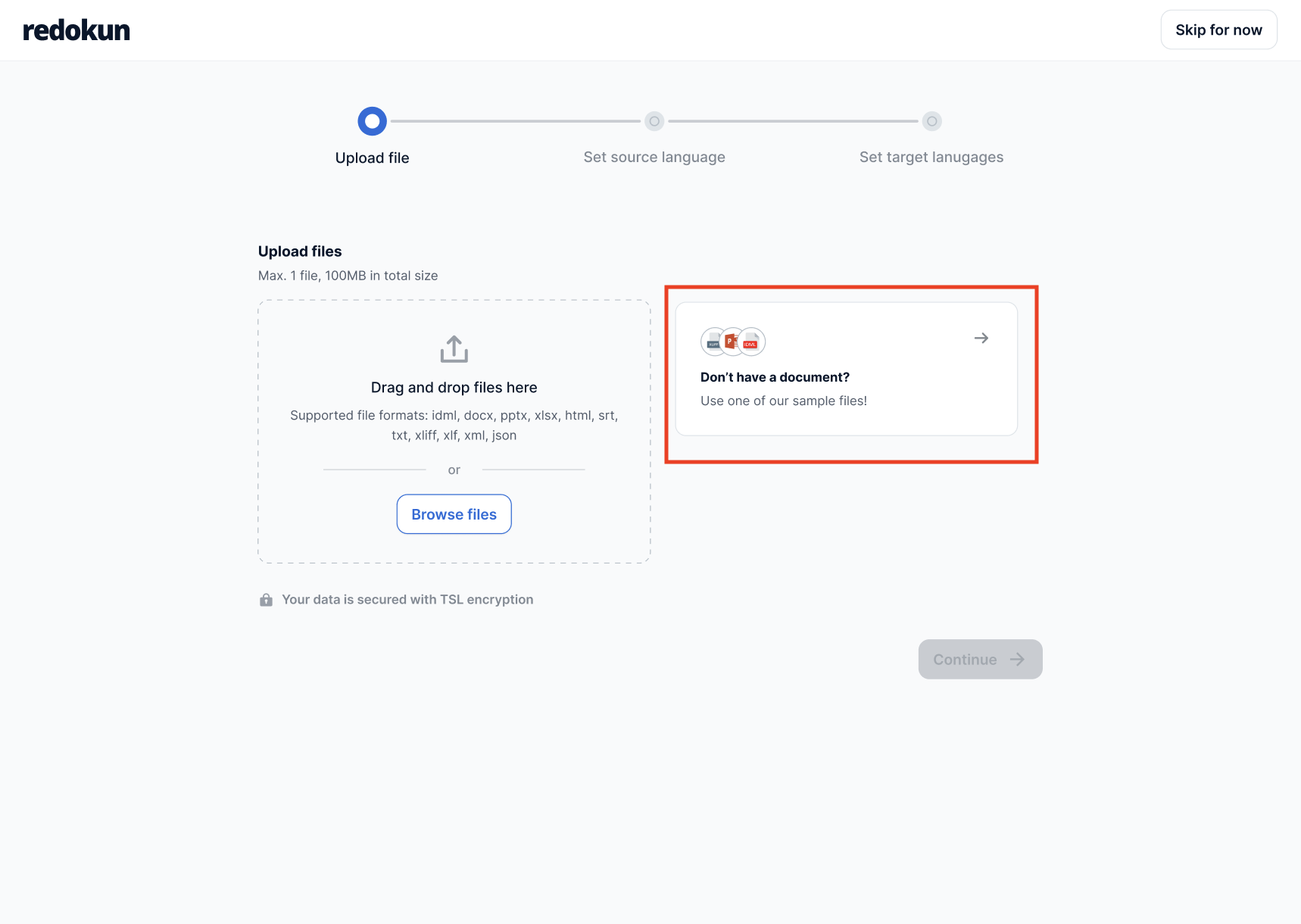
Use one of the sample test files provided inside Redokun to explore the platform features. This may be the best way to experience the workflow without needing to reduce the size of a real production document. Go to the Document List, click "Upload document" button and find below box to select a test file.
3. How many words can I translate during the trial?
You can upload documents of any length during your free trial — there's no word limit on the files you upload.
Two allowances apply to your account instead:
- 10,000 words of AI translation. This covers your whole trial and is shared across all the documents in your account. It applies to Pre-Translate, AI suggestions in the Web Editor, and AI Fine-Tune. Usage is counted as source words × number of target languages, so a 2,000-word document translated into three languages uses 6,000 words. Segments filled from your Translation Memory don't use AI translation.
- 20,000 downloadable words. Words are counted when you download a translated file, and each target language counts separately. This works as it does on paid plans, which include a larger allowance depending on the plan: 👉 How are words deducted from my word-count balance?
What this means in practice
If your document is longer than your remaining AI translation allowance, you can still upload it and work on it. Pre-Translate will translate as much of it as your allowance covers and tell you how many segments are left for you to complete. You can translate those remaining segments yourself in the Web Editor, or with your Translation Memory and glossary.
These allowances keep the trial fair for everyone while giving you enough room to test Redokun properly on your real documents. If you need more, reach out via the in-app chat or at support@redokun.com — we're happy to help you plan your test.
Would you rather not work on a production document? Use one of the sample test files provided inside Redokun. Go to the Document List, click "Upload document", and select a test file from the box on the right.
4. I can’t find the target language I want to add
Redokun supports over 130 languages.
To check which languages are supported, please refer to this guide:
👉 Supported Languages
https://help.redokun.com/article/132-supported-languages
If you see that a language is supported on our list, but you cannot find it in Redokun, please enable country-specific languages from the Languages settings in your Account settings, and then try searching for the language again. It should now show up.
If you still cannot find the language you need, please reach out to support@redokun.com.
5. I don’t know how to run Pre-Translate
Pre-Translate is one of the fastest ways to speed up your translation process by:
- AI translation suggestions
- Glossary (Basic + Premium plans)
Once you start accumulating your own Translation Memory, you can also use translation memory to pre-translate your documents (i.e. previously translated segments are filled as part of the pre-translate process).
During the free trial, you have 10,000 words of AI translation in total across your account. This covers Pre-Translate, AI suggestions in the Web Editor, and AI Fine-Tune. Segments filled from your Translation Memory don't use it. See How many words can I translate during the trial? for details.
To learn how to run it step-by-step:
👉 How to Use Pre-Translate
https://help.redokun.com/article/24-pre-translate
6. I can’t see the InDesign preview
If you're working with InDesign files, Redokun provides an optional preview feature through the InDesign Extension.
To enable and use it correctly, follow this guide:
👉 The InDesign Extension
https://help.redokun.com/article/31-the-indesign-extension
7. I have questions about data privacy and AI translation
We understand that privacy and security are essential, especially when working with sensitive or confidential content.
As a European company, Redokun is fully compliant with the General Data Protection Regulation (GDPR).
When using AI or machine translation during your trial, you remain in control: Redokun allows you to choose whether or not to enable external translation vendors. We also provide full transparency regarding how these providers handle data and what their terms of service include.
Learn more here:
👉 Redokun’s Privacy Policy
👉 AI Translation Vendors & Terms of Service
https://help.redokun.com/article/64-machine-translation-vendors-terms-of-service
8. I don’t know how to invite other project managers or translators
Redokun supports collaboration, even during the trial. You can invite teammates such as:
- Other project managers
- Translators
- Reviewers
To learn how to manage translators and assignments:
👉 Manage Translators and Assignments
https://help.redokun.com/article/156-manage-translators-and-assignments
Need More Help?
If you still have questions during your free trial, our team is happy to assist.
Just reach out via the in-app chat or browse the full Help Center for more guidance.